
Wait that's part of the cieling? But the purple things go down the walls... unless depth perception is screwing me up...
But yea, the lighting is much better. Keep at it!



Wait that's part of the cieling? But the purple things go down the walls... unless depth perception is screwing me up...
But yea, the lighting is much better. Keep at it!
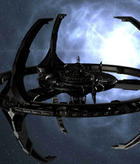
I point you to these old test renders:
It's a chandelier-type structure coming out of the middle of the ceiling extending a little ways down into the room. Generally unrelated to the blinky light (aka panel_generator) strips on the walls.
Dammit those old renders looked nice. I'll keep doing my best to make the ingame stuff look as close as possible.
Last edited by Siliconmaster; August 11th, 2010 at 07:34 AM.
That looks really cool.
All right, daily update time. Heh, this is starting to get like it was last summer.
I've been working on the base entrances, as well as checking to make sure the canyon lighting is still set correctly. As such, I've finished both. Note that in the two base entrance shots, I accidentally turned off the skylight, so in the final there will be a very small amount of extra ambient light. The shot of the canyon lighting, however, has the skylight turned on, as I did that beforehand.
Also take note that since the skylight is turned off, there should be NO LIGHT AT ALL in the canyon in those two shots. In fact, there isn't. It's totally pitch black. But Halo's amazingly retarded fog system manages to boost the gamma of anything in its influence. - _ - Wreaks total havoc with my lighting and shading.

Last edited by Siliconmaster; August 11th, 2010 at 11:54 PM.

So lower the fuck out of the fog level?
At the least it'd be interesting to see
Yeah, I was thinking about turning off the atmospheric fog for the time being so I could work on lightmaps without trying to guess what's shadow and what's not. Unfortunately, without the fog the map ends up looking rather plain- it's unrealistic for there to be no fog at all in the air, but I'll experiment with that later.
Update:
What's that? Urk released the Bungie weekly update a day early, and it's full of awesome?
Well, I can't let that go without challenge:
Fog is totally off for the time being, and a lot of lights are off, mainly the banshee pads and the tunnel entrances.

Lookin sharp sir, is there a way to just lower the intensity of the fog? Wouldn't that solve your problem for ye?
Yes, there is, and I'll probably do that. But this way I can calibrate the lights to the actual level, instead of the fog-related view. Before, they looked all washed out, and now they're awesomely-saturated. I'll keep the fog off from here on out until the very end.
Edit: Lightning pointed out that the purple blinky generator lights down by the energy port are a little pinkish. Turns out that entire section of lights was still using inverse decay, and was therefore messing with the color closest to the light. Fixed, and rendering out a new version to test it.
Edit:
BUT WAIT:
THERE'S MORE!

Wow!!
Also, funny how you mentioned Urk's early update, I saw as it just before I read your comment.
EDIT: I just realised. The main bridge has more red lights than blue(underneath). Maybe that last lot of red lights before the gap should be purple/white/none? Just sayin'. =)
Last edited by Vadam930; August 13th, 2010 at 10:03 PM.
Update time again:
I turned on all exterior lights and calibrated them. Teleporters now give off green light, the tunnel entrances (here seen in the lower left corner) have new lights, and the neon pink light issue near the energy port has been fixed. The banshee pads are turned on, but for some bizarre reason they had weird settings- I'm working to recalibrate them, and that shouldn't take long.
The energy port lights are also a little dimmer than before- I decided the old version was less realistic- some blinky lights wouldn't light up 20 feet on either side. Also, the purple glow in the first image was from the beam- in this new one the dynamic light simply wasn't illuminating the wall at the instant I took the picture.
There are currently 1 users browsing this thread. (0 members and 1 guests)
 Posting Permissions


Bookmarks